
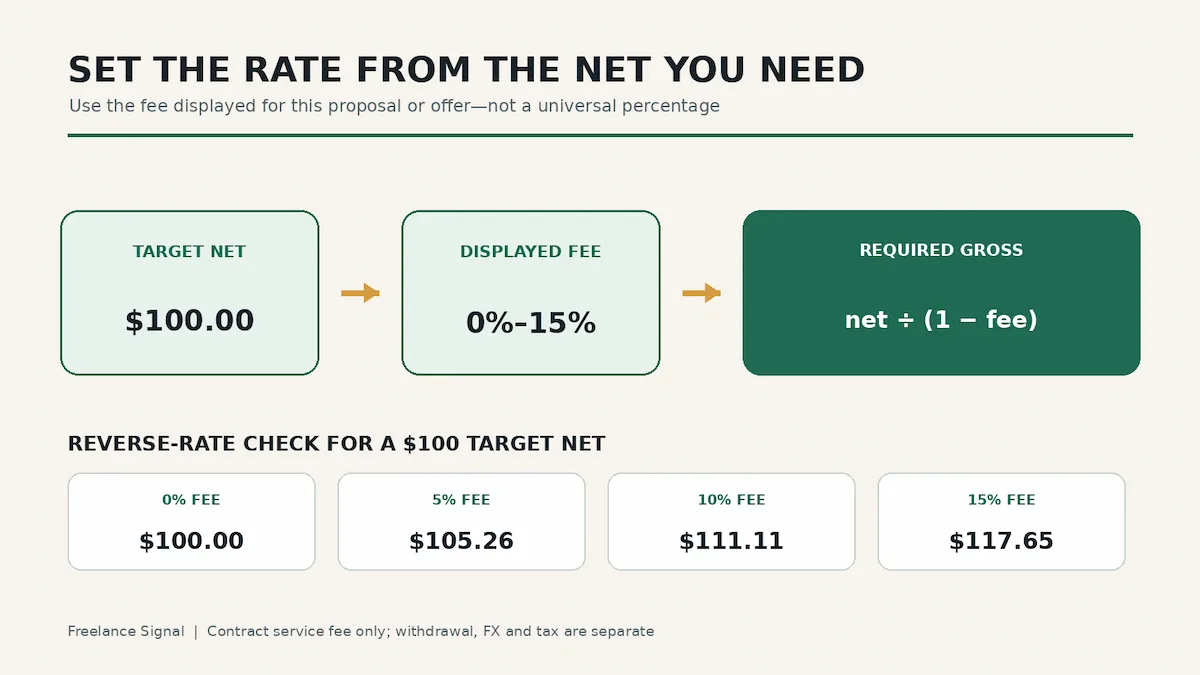
If your proposal shows a 15% fee, do not assume every Upwork contract has moved to 15%. Upwork currently publishes a range of 0% to 15% per contract. The percentage can differ between contracts, and Upwork says it is locked once the proposal, offer or contract is sent.
Calculate the gross rate from your target net
Start with the amount you want left after the contract service fee. Convert the displayed percentage to a decimal, subtract it from one, then divide.
Required gross = target net ÷ (1 − displayed fee rate)
| Displayed fee | Calculation | Required gross | Estimated service fee |
|---|---|---|---|
| 0% | $100 ÷ 1.00 | $100.00 | $0.00 |
| 5% | $100 ÷ 0.95 | $105.26 | about $5.26 |
| 10% | $100 ÷ 0.90 | $111.11 | about $11.11 |
| 15% | $100 ÷ 0.85 | $117.65 | about $17.65 |
Round the proposed rate to the precision Upwork accepts, then check Upwork’s own estimated net. Small differences can appear because the billing rate and fee are rounded to cents. Upwork’s official examples show a few cents of variation across a 12-hour calculation.
Hourly worksheet
- Write down your target net hourly rate.
- Copy the fee percentage displayed in the proposal screen.
- Apply the reverse-rate formula.
- Round the gross hourly rate to cents.
- Compare Upwork’s displayed net estimate with your target before sending.
For a $25 net hourly target with a 10% displayed fee, the formula gives $27.777… and rounds to $27.78. Upwork uses this same rate in its published example, while noting that the final total can differ by cents after time and fee rounding.
Fixed-price worksheet
The same formula works for a fixed-price milestone. If you need $600 after a 15% contract fee, the unrounded gross is $705.882…; a $705.89 milestone leaves approximately $600 after applying 15%, subject to the platform’s actual cent rounding. Do this per funded amount rather than assuming a later milestone will use another contract’s fee.
Two calculations that answer different questions
| Question | Formula | Example at 15% |
|---|---|---|
| What gross amount preserves my target net? | Target net ÷ 0.85 | $100 net → $117.65 gross |
| What remains from a known client budget? | Gross budget × 0.85 | $100 gross → $85 net |
Where to find the percentage that matters
Upwork says the exact fee appears when you submit a proposal or receive an offer. It is also available in contract details and transaction summaries. Use that number. A percentage remembered from an old contract, a forum post or another freelancer’s screenshot may not apply to the contract in front of you.
Upwork also lists exceptions. Payroll and Any Hire contracts do not use the standard Freelancer Service Fee; Direct Contracts have a reduced fee, and Enterprise arrangements can differ. Check the offer and contract record rather than forcing those cases into the general table.
Keep other deductions outside this formula
This page calculates one layer: the Freelancer Service Fee on contract earnings. It does not calculate a withdrawal-method fee, currency conversion, tax withholding or a receiving-bank deduction. Those costs may use different bases and may happen at a different stage.
For the currency layer, use the exchange-rate spread worksheet. For timing, see when Upwork earnings become available. Compare the withdrawal rails separately in Upwork local bank vs wire transfer and the Direct to Local Bank guide.
Before you send the proposal
- Confirm the displayed contract fee.
- Choose a target net that still works after your own business costs.
- Calculate and round the required gross.
- Read Upwork’s net estimate and offer terms.
- Save the proposal or offer record you relied on.
This is a pricing worksheet, not tax or financial advice. Recheck the live proposal or offer because the fee is contract-specific.
Official source
- Upwork: Learn about the Freelancer Service Fee — checked August 3, 2026.