

Connects are Upwork’s tokens for submitting proposals and using advertising products. The current Connects guide prices them at $0.15 USD each. It also says the number required for a proposal varies by job and can change while the post is live.
The useful budget question is not how much one Connect costs. It is how many Connects you spend to create one qualified client conversation, then one hire.
If you are deciding whether a monthly plan fits that budget, use the Freelancer Plus break even check. It keeps the recurring membership decision separate from proposal level Connects spend.
Current Connects cost and buying rules
| Item | Current Upwork rule | Budget implication |
|---|---|---|
| Unit price | $0.15 USD per Connect, sold in bundles | Multiply actual Connects spent by $0.15 |
| Proposal requirement | Varies by job and can change while the post is live | Check again at submission |
| Purchase requirement | A verified billing method is required, even if existing earnings will pay | Do not wait until the last proposal to fix billing |
| Payment source | Upwork first checks earnings balance; if it is insufficient, the full amount goes to the billing method | The purchase cannot be split between both sources |
| History | Transactions can be viewed for the past 7, 30, and 90 days | Use history to reconcile real spend |
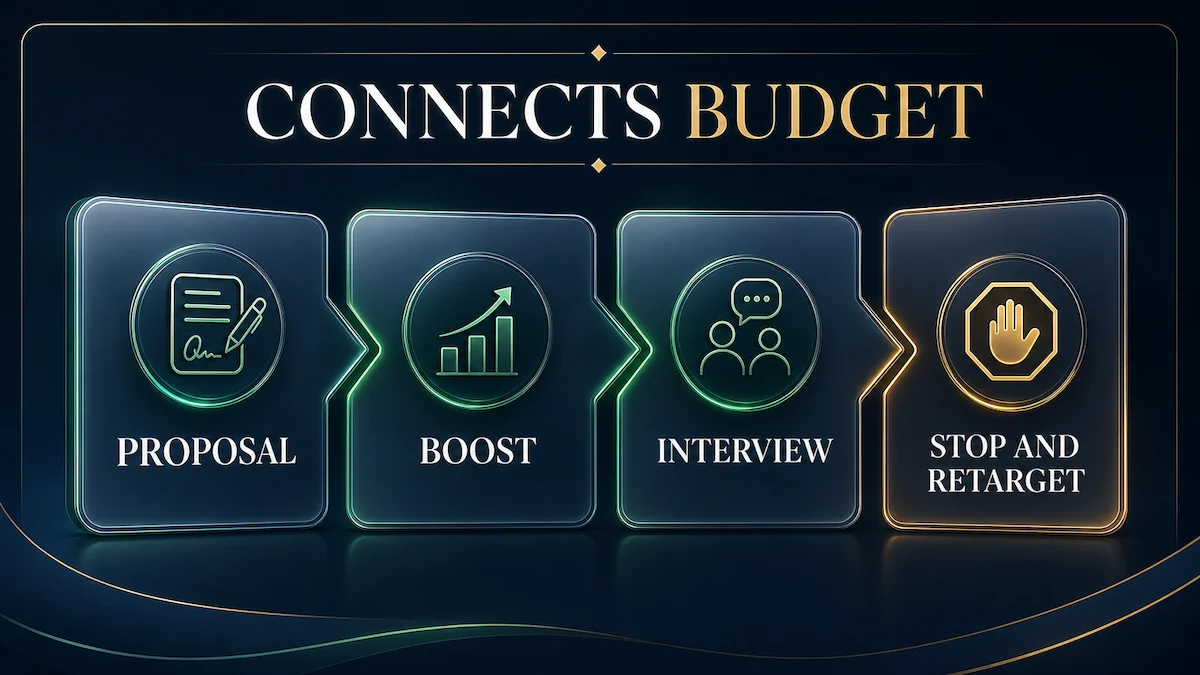
For a proposal that needs 18 Connects, the base token cost is $2.70. If you add a 25 Connect boost and that bid is charged, the total is 43 Connects, or $6.45. This arithmetic is a planning conversion, not a promise of placement or a hire.
Free and earned Connects are conditional
Upwork lists several ways eligible freelancers may receive Connects. New users may see a one time 50 Connect offer after a purchase or Freelancer Plus subscription. Some freelancers may receive 10 each month. Rising Talent, Top Rated, and Top Rated Plus badges each award 30, with skipped badge rewards combined up to 90 total.
Other rewards are tests or event based. A tested proposal activity reward may award 12 after at least three proposals and at least 54 Connects spent, up to twice per calendar month, but not every freelancer receives it. A first successful charged proposal boost can award 10 once. An interview with an established client may award Connects, but not for every interview and not necessarily the amount spent.
Treat these as balance credits after they appear in Connects history. Do not build a recurring acquisition budget around conditional awards.
Separate base proposal spend from the boost auction
A proposal boost is optional. The Boosted Proposals guide says eligible freelancers can bid extra Connects for one of four promoted slots. An unboosted proposal still reaches the client.
- Pay the required base Connects when you submit.
- Choose a maximum extra Connects bid if you decide to boost.
- The auction closes after seven days or the first hire, whichever happens first.
- You pay the exact boost bid if you finish in the top four or the client interacts with the proposal while it is boosted.
- If you are pushed out of the top four before an eligible interaction, the extra boost Connects are not charged or are returned after the auction closes.
Eligible interaction includes opening, shortlisting, messaging, archiving, declining, or sending an offer. That means a charged boost proves exposure or auction position, not positive intent. Track boosted and unboosted proposals separately before deciding the extra spend helps.
When Connects return and when they do not
| Spend type | When charged | When Connects may return | What does not return |
|---|---|---|---|
| Base proposal | When the proposal is submitted | Client cancels before a contract is made, or Upwork removes the post for a Terms of Service violation | Rejection, another freelancer being hired, expiration without a hire, or your withdrawal |
| Interview award | Not a charge category | An eligible interview with an established client may show original spend as refunded plus any extra as awarded | No award is guaranteed for every interview |
| Proposal boost | At auction end if top four, or after eligible client interaction while boosted | Extra boost Connects return if you are not top four and the client did not interact while boosted | The standard proposal Connects do not return merely because the boost portion returns |
| Boosted Message limited test | When a message is delivered to a client’s inbox | No general delivery refund is stated | No refund when the client marks the message not interested |
Returned proposal Connects go back to the account for reuse, not as cash value. A post that simply expires is specifically excluded from the cancellation return rule.
Boosted Messages are a separate limited test
Upwork’s freelancer Boosted Messages guide says the product is being tested with a limited group of freelancers and clients. If the feature is not present in your account, it is not available to you.
This product promotes a message to clients selected by Upwork according to profile and recent hiring activity. You do not choose the individual recipients or see their identity until they reply. You set a Connects bid per delivered message and either a daily or total spending limit. Bids can start at one Connect, with no stated maximum. Upwork charges only when a message is successfully delivered, not when the campaign is created.
A campaign can be paused or ended, and its bid, limit, or end date can be changed. The submitted message itself cannot be edited. If a client marks a delivered message not interested, the spent Connects are not refunded. Evaluate this test with delivered messages, views, replies, and qualified conversations. Do not mix those results into your proposal boost figures.
Build a Connects budget from outcomes
| Metric | Calculation | What it tells you |
|---|---|---|
| Total Connects spent | Base proposals plus charged boosts plus delivered messages | Your real token outflow |
| Cash equivalent | Total Connects spent multiplied by $0.15 | Comparable acquisition cost |
| Cost per qualified conversation | Cash equivalent divided by qualified conversations | Whether targeting creates useful demand |
| Cost per hire | Cash equivalent divided by hires | Whether the channel fits contract value |
| Boost lift | Boosted interview rate compared with unboosted interview rate | Whether auction spend adds value |
Define qualified before the test. A reply from a client whose budget, scope, or timing cannot work should not count the same as a real sales conversation. Also record expected contract value and your net rate after fees. See the Upwork rate after freelancer service fee calculator when testing whether acquisition cost fits the work.
When to stop bidding
The following stop rules are Freelance Signal editorial guidance, not Upwork policy.
- Stop immediately when the job no longer matches your skills, availability, minimum budget, or risk tolerance.
- Stop increasing a proposal boost when the possible acquisition cost no longer fits the expected contract value.
- Pause a targeting segment after a predefined test produces no qualified conversations. Review job selection, opening lines, evidence, pricing, and client history before spending again.
- Pause Boosted Messages when delivered messages generate views but no qualified replies, then revise the target value proposition in a new campaign.
- Do not buy another bundle merely to recover prior spend. Past Connects are sunk acquisition cost.
Use a test size chosen before bidding, such as a fixed number of closely matched proposals or a fixed Connects ceiling. The exact threshold depends on contract value and your conversion history. The important discipline is to set it before a disappointing result tempts you to chase losses.
Official sources
- Upwork: Understanding and using Connects, checked August 14, 2026.
- Upwork: How to boost your proposal, checked August 14, 2026.
- Upwork: How to Boost a Message for freelancers, checked August 14, 2026.
Reader discussion
0 approved comments
Share a specific question, correction, or first-hand workflow detail. Do not include private financial or identity information.