

A passed identity check does not, by itself, explain a later suspension or prove that the suspension is an error. The controlling record is the enforcement notice, account banner, or suspension email. Your first task is to separate a fixable restriction from a revoked account and identify whether Upwork is asking for self-service action or a formal appeal.
Checked August 26, 2026. This guide reports Upwork’s current appeal workflow. It does not predict an outcome, identify the reason for a specific account decision, or replace the notice shown in your account.
Quick answer
If you can log in, open the suspension banner and Account health. Follow any required self-service step, such as identity verification or a payment-method update. If the banner offers an appeal, use that route. If you cannot log in, Upwork directs users to reply to the suspension email or use the official appeal form.
Your appeal should not be a general complaint. Upwork says successful appeals must show that the suspension decision was a mistake or provide new, relevant information that significantly changes the facts originally reviewed. A bare disagreement without new evidence or context is unlikely to succeed.
Scope and applicability
This article is for freelancers or clients whose Upwork account is restricted or revoked and who need to decide what to do next. It owns the appeal decision, evidence map, submission route, status tracking, and the boundary between a fixable restriction and a suspended account.
It does not own document troubleshooting. If the notice specifically says a government ID or proof of address failed, use the Upwork identity verification failure checklist. If the restriction is tied to a payment method, use the Upwork payment-method restriction guide. Those pages solve the named prerequisite; this page begins when an enforcement appeal is the actual task.
What the official source says
Swipe horizontally to inspect every column.
| State | Official boundary | Next action |
|---|---|---|
| Restricted | Some features are limited and action is needed to restore full access. | Complete the named account action before treating it as a final suspension. |
| Revoked | The account is suspended and an appeal is needed to find out whether access can be restored. | Use the eligible appeal route and submit new, relevant evidence. |
| Appeal submitted | The appeal can be tracked in Account health when login remains available. | Track the existing case rather than creating duplicate tickets. |
| Final denial | Further appeals may be blocked unless new information becomes available. | Do not manufacture a new account or resend the same disagreement. |
What happens in the actual workflow
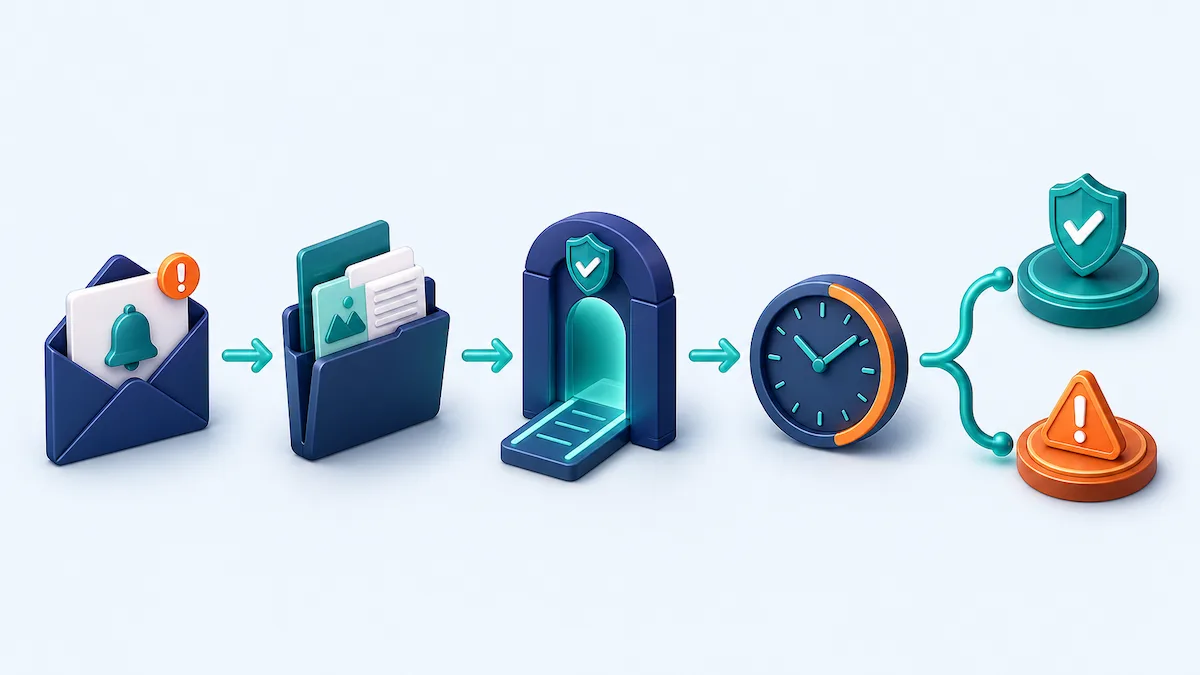
- Save the suspension notice, email date, banner wording, and any case number.
- Classify the account state as restricted or revoked. Do not infer the cause from the most recent task you completed.
- If login works, open the banner and Account health. Complete any self-service requirement first.
- If an appeal is available, build one claim-to-evidence map: what fact is wrong, what new record changes it, and where the record came from.
- Submit through the banner, suspension email, or official appeal form, depending on the access state.
- Track the case. Avoid duplicate tickets while the appeal is under review.
Worked example
Suppose a freelancer completes identity and address checks, receives a confirmation that identity was verified, and later receives a permanent suspension email. The verified identity message proves only that the identity step reached that state. It does not prove why the later enforcement decision occurred.
Swipe horizontally to inspect every column.
| Record | What it can establish | What it cannot establish |
|---|---|---|
| Identity verified email | The identity check was reported as complete at that time. | The reason for the later suspension. |
| Suspension notice | The enforcement state, stated reason or next step that Upwork disclosed. | Facts not present in the notice. |
| Contract messages | The exact communication sequence relevant to the notice. | That a particular message caused enforcement unless Upwork says so. |
| New supporting record | A specific fact that may show a mistake or materially change the review. | A guaranteed appeal outcome. |
The appeal should state the known sequence, quote the notice accurately, and attach only records that address the disputed fact. It should not claim that passing verification guaranteed the account could not be suspended for another reason.
Failure points
- Appealing before completing a self-service fix: finish the action named in the banner first.
- Arguing without evidence: explain the exact mistake or new fact and connect each attachment to it.
- Submitting duplicate tickets: Upwork says this slows review and creates duplicate cases.
- Opening a replacement account: Upwork says opening a new account after suspension is not allowed.
- Assuming a two-business-day estimate is a guarantee: it is the stated review range for most appeals, not a deadline for every case.
- Ignoring a special eligibility rule: Upwork says poor-feedback suspensions require a six-month wait before appeal.
What changed
For this publication, Freelance Signal captured fresh official source bodies dated August 26 and August 24, normalized them, and mapped the appeal workflow into a decision table and evidence map. This article is not claiming that Upwork introduced the appeal process today.
What remains unknown
Public help pages cannot reveal the private reason for an individual suspension, the evidence Upwork reviewed, or whether a specific appeal will succeed. The current notice, appeal eligibility shown in Account health, and final Trust and Safety response remain controlling for an individual account.
Sources and methodology
We captured and normalized the current official bodies, preserved their SHA-256 hashes, mapped each material claim to an exact quote, and used community discussion only to identify the search-shaped question. Community posts do not establish the reason for an enforcement action or the likely appeal outcome.
Reader discussion
0 approved comments
Share a specific question, correction, or first-hand workflow detail. Do not include private financial or identity information.